
What Happens When You Open a URL?
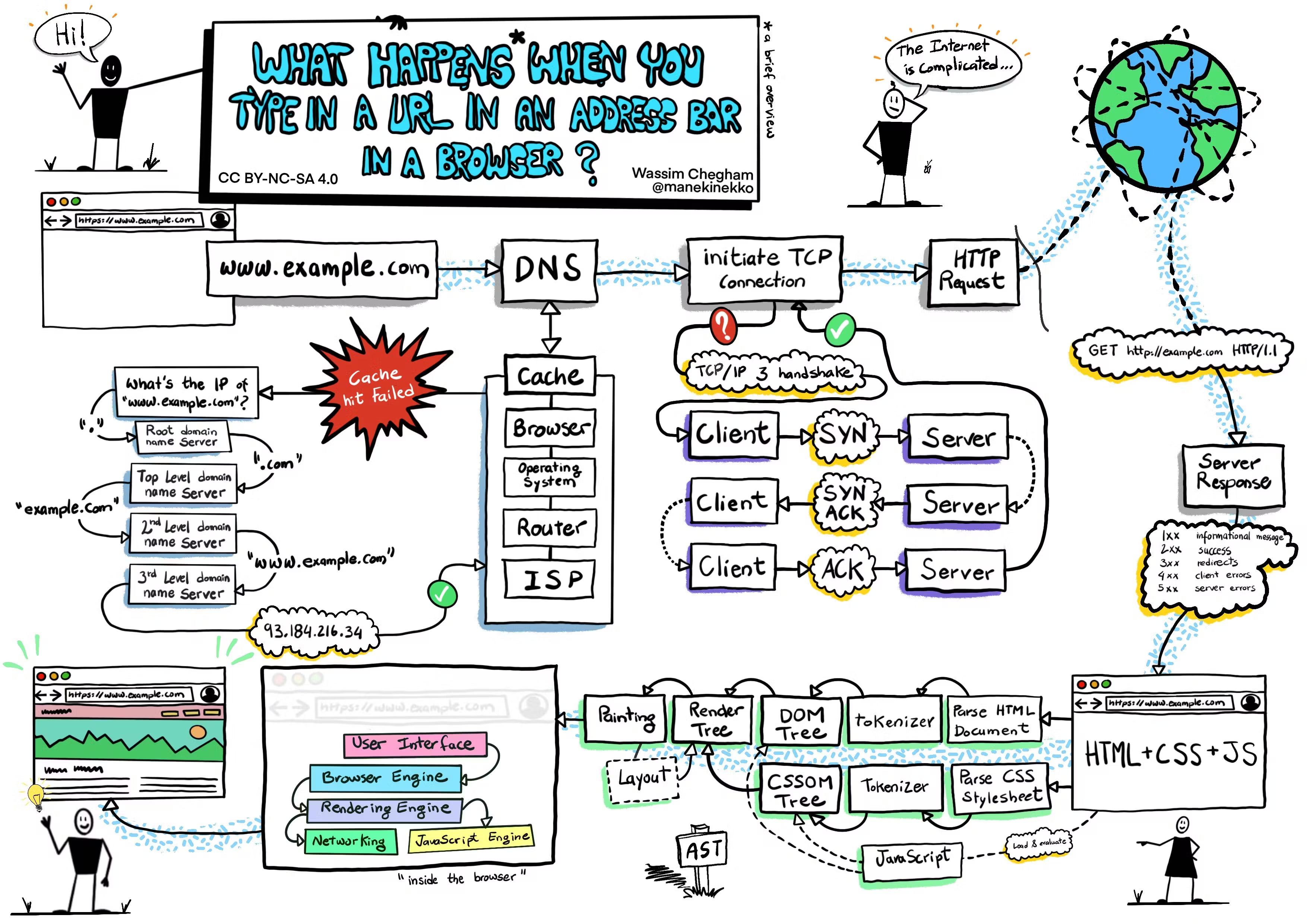
Image credit: Wassim Chegham
1. DNS Resolution
When you type a URL (e.g., www.example.com):
- Your browser checks its cache for DNS records
- If not found, it asks your operating system
- The DNS server converts the domain name to an IP address
2. TCP Connection
- Browser initiates TCP connection with the server
- Three-way handshake occurs (SYN, SYN-ACK, ACK)
3. HTTP Request
- Browser sends HTTP request to server
- Includes method (GET, POST, etc.), headers, and sometimes data
4. Server Processing
- Server receives and processes the request
- Generates appropriate response (HTML, JSON, etc.)
5. Response
- Server sends back HTTP response
- Includes status code, headers, and content
6. Browser Rendering
- Browser receives and parses HTML
- Downloads additional resources (CSS, JavaScript, images)
- Renders the page for you to see